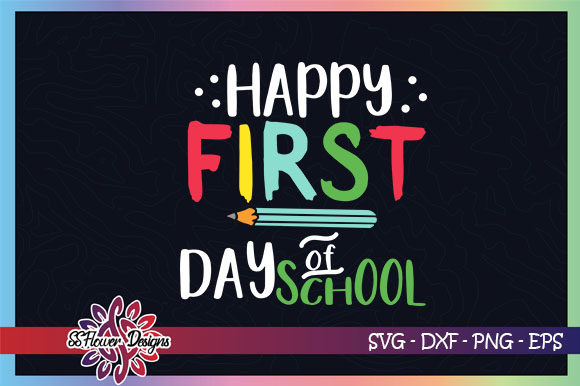
Happy First Day of School: Creative Back-to-School Ideas with SVG Cut Files
The first day of school is a milestone that brings excitement, nerves, and a flood of emotions for both children and parents. From picking out the perfect outfit to packing a fresh backpack, every detail matters. But there is one creative way to make the day even more special: using digital illustrations and cut files to craft personalized items that celebrate the moment. Whether you want to design a custom T-shirt, decorate a water bottle, or create a keepsake for the classroom, the right SVG cut file can turn a simple idea into a memorable project. In this article, we will explore everything you need to know about using a Happy First Day of School SVG set, from understanding the file formats to practical tips for cutting, ironing, and embroidering.
What Is an SVG Cut File and Why Is It Perfect for Back-to-School?
SVG stands for Scalable Vector Graphic. Unlike a standard image made of pixels, an SVG file uses mathematical paths and coordinates to define shapes. This means it can be scaled up or down infinitely without losing quality. For cutting machines like Cricut, Silhouette, or Sure Cuts A Lot, this vector format is essential because it tells the machine exactly where to cut, score, or draw.
When you download a Happy First Day of School SVG set, you are getting a ready-to-use design that you can load into your cutting software, adjust to any size, and then cut from materials like vinyl, cardstock, or heat transfer film. The flexibility of SVG makes it the go-to choice for crafters who want to produce professional-looking results at home. The best part? You do not need to be a graphic designer or a tech expert. Most cutting programs have simple interfaces that let you open the file, resize it, and send it to your machine in minutes.
Understanding the File Formats You Receive
When you purchase or download a back-to-school SVG bundle, you typically receive a compressed folder containing several file types. Each format serves a different purpose, and knowing how to use them expands your crafting options. Here is a breakdown of the most common formats included in a Happy First Day of School digital illustration pack:
- SVG (Scalable Vector Graphic): The primary file for cutting machines. It contains the clean vector paths that your Cricut or Silhouette software reads. Use this for cutting vinyl, cardstock, and most materials.
- PNG (Portable Network Graphic): A high-resolution raster image with a transparent background (usually 300 PPI). This is perfect for printing, digital scrapbooking, or using as a preview. It can also be used in some sublimation projects.
- DXF (Drawing Exchange Format): Another vector format that works with many CAD and cutting programs. Some older machines or software prefer DXF over SVG, so having it ensures compatibility.
- EPS (Encapsulated PostScript): A vector format widely used in professional design software like Adobe Illustrator and CorelDRAW. If you edit designs on a desktop publishing program, EPS is your best bet.
All these files are compressed into a WinZip or ZIP folder for easy download. Once you unzip the folder, you will have access to each individual file. The files you receive do not include any watermarks, so you can use them freely for personal projects or even small business creations (depending on the license terms).
Practical Uses for Your First Day of School Cut Files
The beauty of SVG cut files lies in their versatility. A single design can be applied to dozens of surfaces and materials. Here are some of the most popular ways to use a Happy First Day of School SVG:
1. Iron-On Vinyl for Clothing
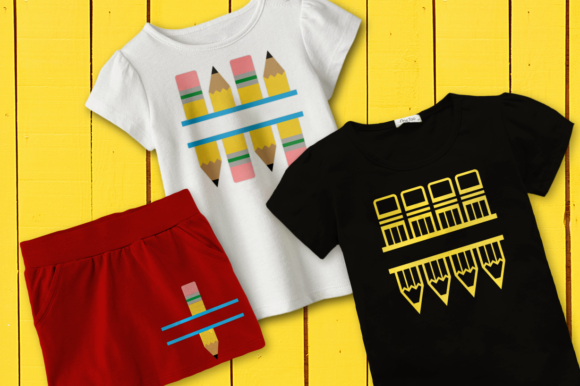
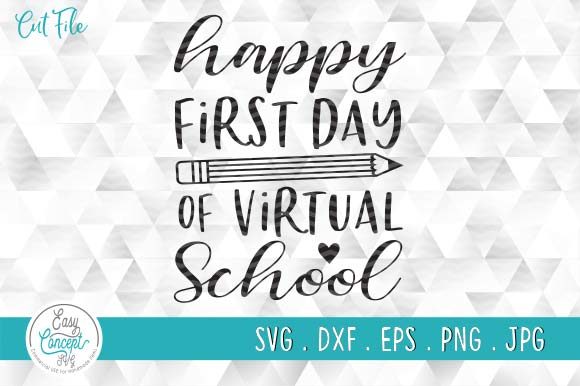
One of the most common and satisfying projects is creating custom T-shirts, hoodies, or tote bags. Using heat transfer vinyl (HTV), you can cut the design with your machine, weed away the excess material, and press it onto fabric with a heat press or a household iron. Imagine your child walking into school wearing a shirt that says "Happy First Day of School!" in a fun font with a cute backpack or apple graphic. It makes for great first-day photos and gives your child a sense of pride in something you made together.
2. Glass Pane and Window Decals
Vinyl also sticks beautifully to smooth surfaces like glass. You can cut the design from permanent vinyl and apply it to a window, a mirror, or even a car rear window. Teachers love decorating their classroom windows with welcoming messages on the first day. A removable vinyl decal is easy to put up and take down without leaving residue, making it ideal for temporary celebrations.
3. Embroidered Patches and Fabric Designs
If you have an embroidery machine, you can convert the SVG design into an embroidery file. Many cutting software programs allow you to export a vector path that can be imported into embroidery digitizing software. While the SVG itself is not a stitch file, it provides the outline and shape you need to create a custom patch or direct embroidery on fabric. This opens up possibilities for personalized backpacks, lunch bags, and hats.
4. Scrapbooking and Card Making
Not every project requires a cutting machine. The PNG version of the design (300 PPI, high quality) can be printed on photo paper or cardstock and used in scrapbooks, greeting cards, or classroom decorations. You can print multiple sizes, layer them, and combine them with other embellishments to create a keepsake that captures the excitement of the first day.
How to Use the Files with Cutting Software
Getting started is straightforward, but a few tips can save you time and frustration. Here is a step-by-step guide for using your Happy First Day of School SVG files:
- Download and unzip: After purchase, you will download a ZIP file. Right-click (or double-click on a Mac) to extract the contents. Inside, you will find the SVG, PNG, DXF, and EPS files, usually organized by color or design variation.
- Open your cutting software: Launch Cricut Design Space, Silhouette Studio, Sure Cuts A Lot, Canvas, or any compatible program. Create a new project and set your canvas size to match your material.
- Upload the SVG file: In most programs, you can simply drag and drop the SVG file onto the canvas or use the "Upload" button. The software will convert the vector paths into editable shapes.
- Resize and adjust: Use the handles to scale the design to your desired dimensions. You can also change colors, add text, or combine multiple designs. Remember that SVG files are resolution-independent, so scaling does not affect quality.
- Cut: Select your material type (vinyl, cardstock, HTV, etc.) and let the machine do the work. Once cut, weed the excess material and transfer your design to the surface of choice.
Important note: Your file will not have any watermark—the images you see in the listing are for display purposes only. The actual files are clean and ready to use.
Common Misunderstandings and Best Practices
Even experienced crafters sometimes run into issues with SVG files. Here are a few clarifications to help you avoid pitfalls:
- No quality guarantee after editing: If you alter, edit, or convert the SVG file (for example, by adding filters, changing the file type, or modifying the paths in a different program), the original quality and compatibility may be affected. Always keep a backup copy of the original unedited file.
- SVG vs. embroidery files: An SVG is not a native embroidery file (like PES or DST). To embroider the design, you need to use digitizing software that can read the vector paths and convert them into stitch patterns. Some crafters use the SVG as a template and trace it manually in their embroidery software.
- Unzipping is required: The files are compressed to make download faster and to keep all formats together. You must unzip the folder before your cutting software can open the files. Most computers have built-in unzip tools, or you can use free software like 7-Zip or WinRAR.
- One file per design: You will receive one file as shown in the photo—meaning each design variation (if multiple are offered) is typically a separate file. The folder may contain several SVG files if the bundle includes multiple graphics or phrases.
Why This Matters for Modern Parents, Teachers, and Creatives
Back-to-school season is one of the busiest times of the year, but it is also rich with opportunities for creativity and personal connection. Using digital cut files bridges the gap between technology and tradition. You are not just buying a graphic; you are gaining the ability to produce physical items that carry meaning. A custom shirt, a personalized water bottle, or a classroom banner can spark joy and build confidence in a child as they start a new school year.
From a practical standpoint, SVG files offer incredible value. One design can be used on multiple projects—cut from vinyl for a shirt one day, printed on paper for a card the next, and embroidered on a hat later in the year. The versatility saves money and time, and because the files are digital, you never run out of copies. You can also resize the design to fit small labels or large posters, making it suitable for everything from pencil boxes to bulletin boards.
For teachers, these files are a goldmine. A welcoming classroom environment starts at the door. A "Happy First Day of School" decal on the window, a name tag on each desk, and a banner above the chalkboard can be made in an afternoon with a cutting machine and a bit of vinyl. Even if you do not own a cutting machine, the PNG version can be printed and laminated for durable decorations that last the entire year.
Small business owners and craft sellers also benefit. Custom back-to-school items are in high demand during August and September. With a licensed SVG file, you can produce merchandise to sell at local markets or online shops. The professional quality of the designs—300 PPI, crisp lines, and scalable vectors—ensures your products look polished and attract customers.
Tips for Getting the Best Results
To make the most of your Happy First Day of School SVG files, keep these best practices in mind:
- Always test cut a small piece of your material first to confirm blade pressure and speed settings.
- For iron-on vinyl, mirror your design before cutting so the image transfers correctly onto the fabric.
- Use a weeding tool to remove small pieces of vinyl carefully—good lighting and a magnifying lens help with intricate details.
- Store your digital files in a dedicated folder on your computer or cloud drive so you can find them easily next year.
- Check the license agreement that comes with the files. Many designers allow personal and limited commercial use, but terms vary.
Conclusion
The first day of school is more than a date on the calendar—it is a memory in the making. By using a Happy First Day of School SVG cut file bundle, you can transform that memory into something tangible and beautiful. Whether you cut vinyl for a T-shirt, print a PNG for a scrapbook, or convert the design for embroidery, you are adding a personal touch that store-bought items cannot match. The files are easy to use, compatible with popular cutting software, and come in multiple formats to suit any project. As you prepare for the new school year, let your creativity take the lead. Download your digital illustrations, fire up your cutting machine, and make this first day one your child will never forget.
Remember: Your file will not have the watermark, and you will need to unzip it after download. There is no guarantee of quality once the designs are altered, edited, or converted—so work from the original file for the best results. Happy crafting and happy first day of school!